FindFirst -
Connecting construction professionals, services, and opportunities in one focused system.
Startup Product
Construction Tech
UI DESIGN

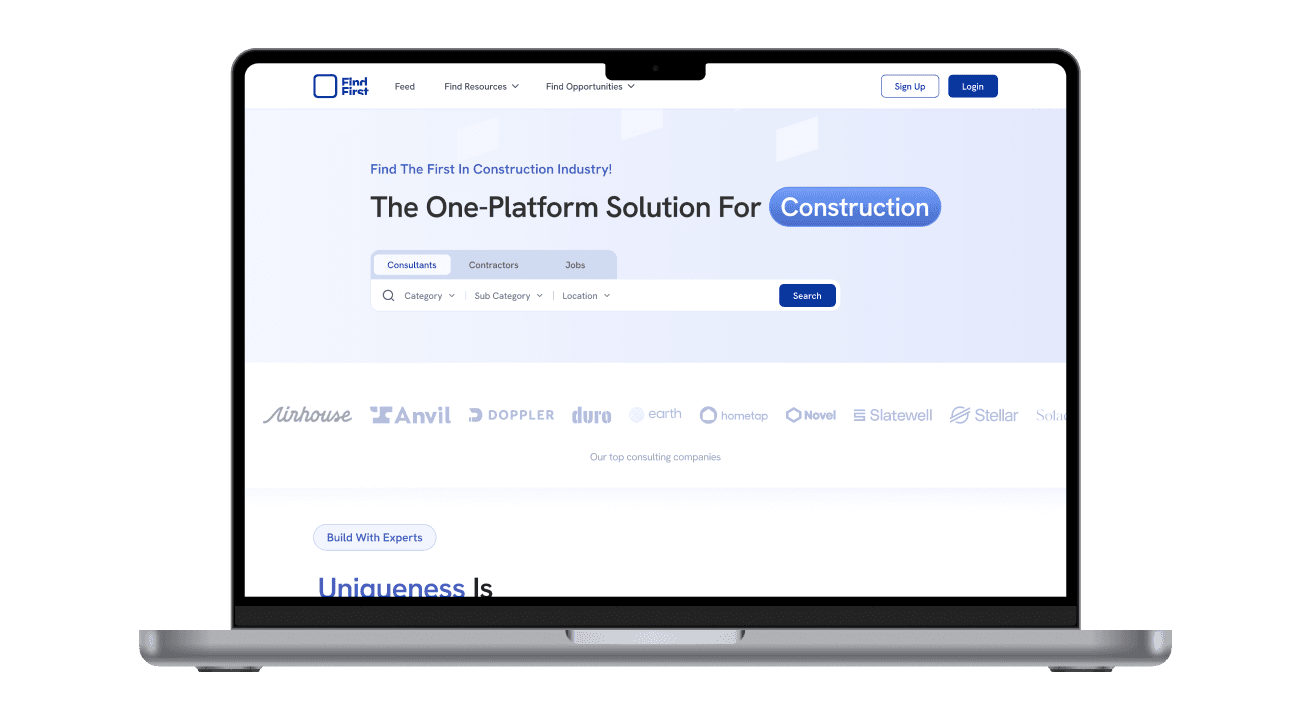
Imagine a construction professional looking for the right expert, service, or opportunity—without relying on scattered contacts, word of mouth, or unstructured platforms.
SKIP TO FINAL DESIGN
Role
UI / Product Designer
DURATION
Oct 2024 - Feb 2025
Early-stage startup)
Focus Areas
Design system & visual language
UI consistency across features
Complex data-heavy interfaces
Translating business needs into UI


The
Context
FindFirst was an early-stage startup building a professional platform for the construction ecosystem. The product aimed to serve multiple user types—business owners, consultants, contractors, and job seekers—within a single system.
When I joined the project, it was already in motion. Initial discovery, research, and wireframes had been completed by a previous team, and a rough UI draft existed for the landing page. Shortly after, ownership of the project transitioned to a smaller team—myself and one other designer.
This marked the point where the product began to take shape visually and structurally.
Patterns
I Noticed
I joined as a UI-focused designer and gradually took on broader responsibility as the project evolved. What started as executing interface work grew into:
Defining and maintaining the design language
Building a unified design system
Translating evolving requirements into scalable UI
Coordinating closely with product managers, stakeholders, and developers
Reviewing work, guiding interns, and presenting progress directly to the client
By the time the MVP was finalized, I was the primary design owner of the product.
Establishing the
First Impression
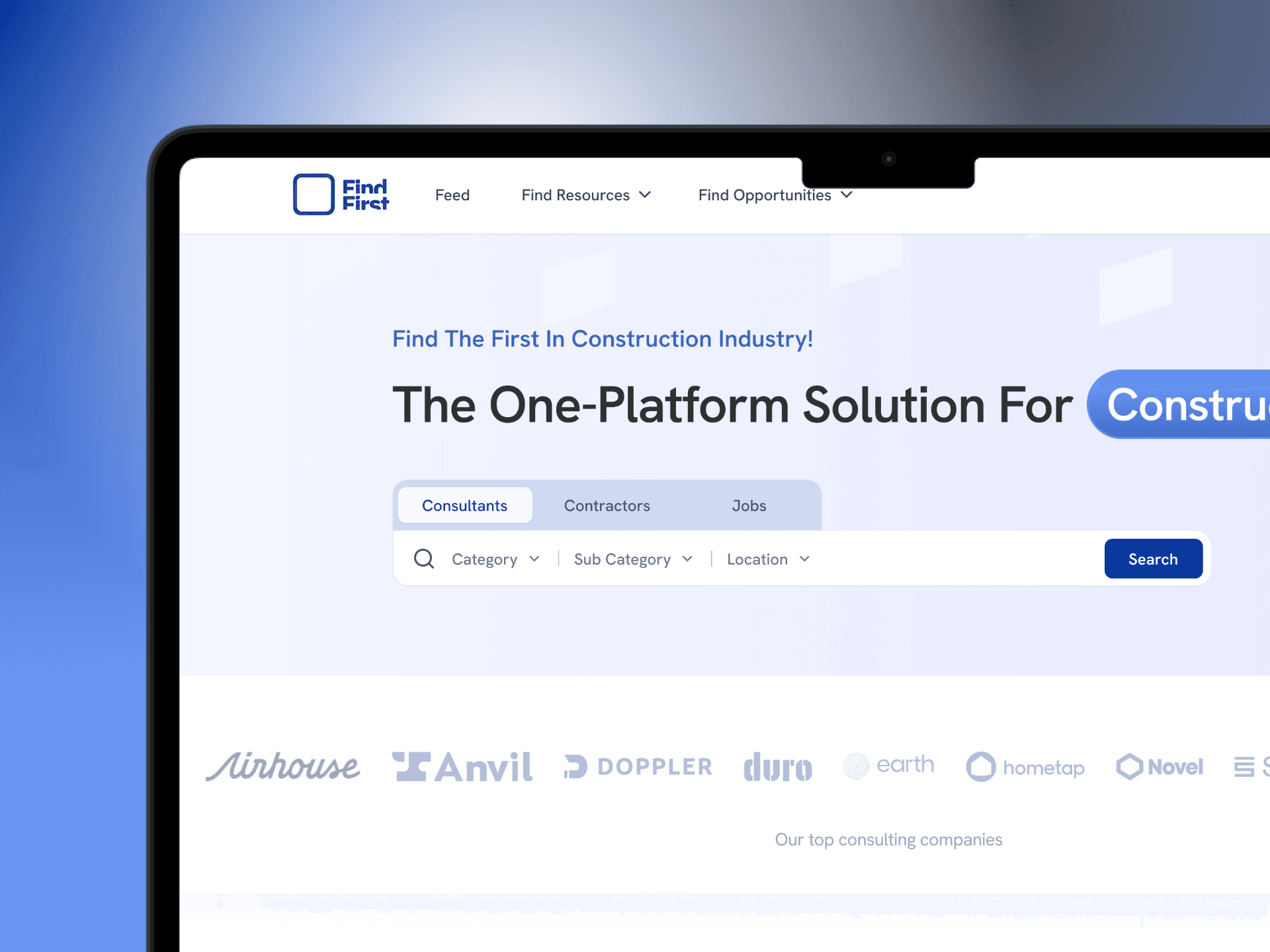
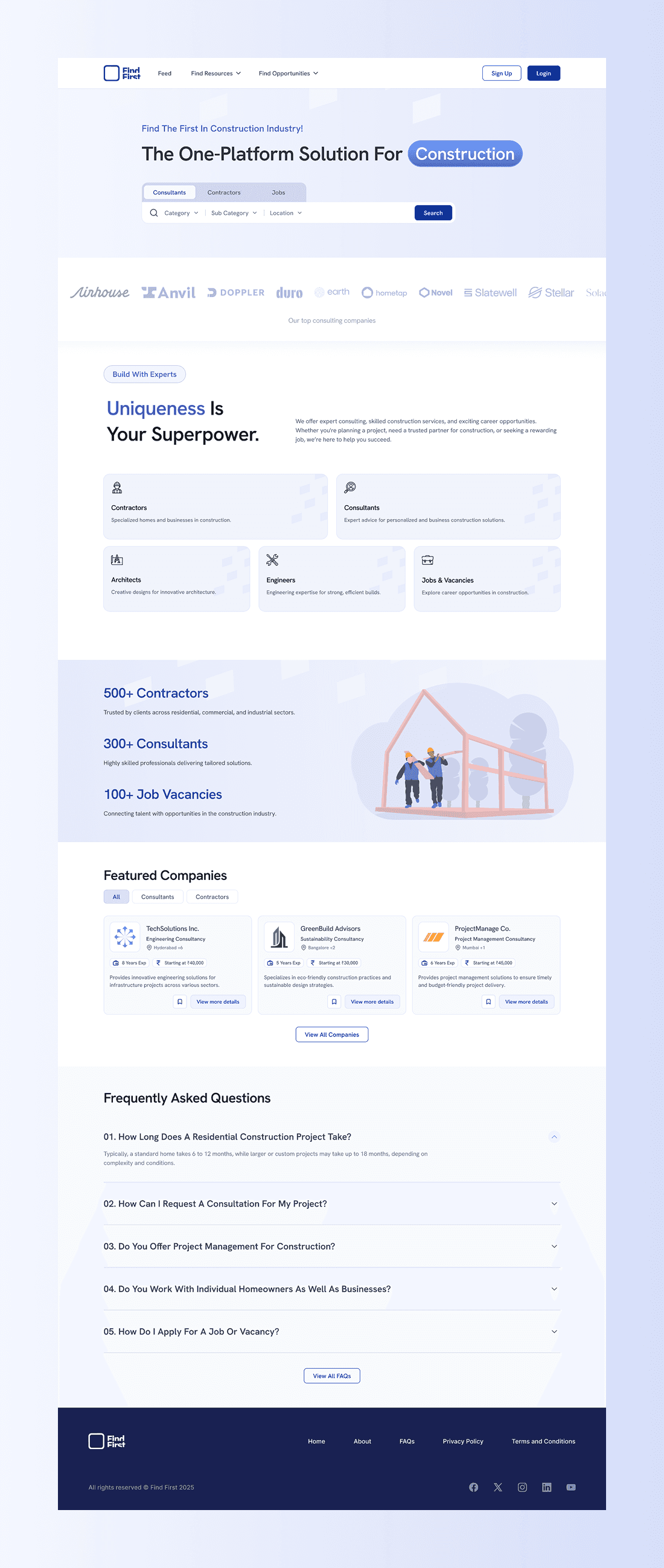
When I joined the project, the landing page was the only surface with an initial UI draft—and it quickly became the most important place to reset direction. This screen had to do more than explain the product. It needed to build trust in an industry where credibility matters before anything else.
I redesigned the landing page to clearly communicate who the platform was for, what problems it solved, and how different users—business owners, consultants, and job seekers—fit into the system. The goal was clarity over cleverness, and structure over decoration.
Rather than overloading the page with features, I focused on hierarchy and pacing—allowing users to understand the platform within a few scrolls, while keeping deeper functionality inside the product itself.
Finding the
Right Match
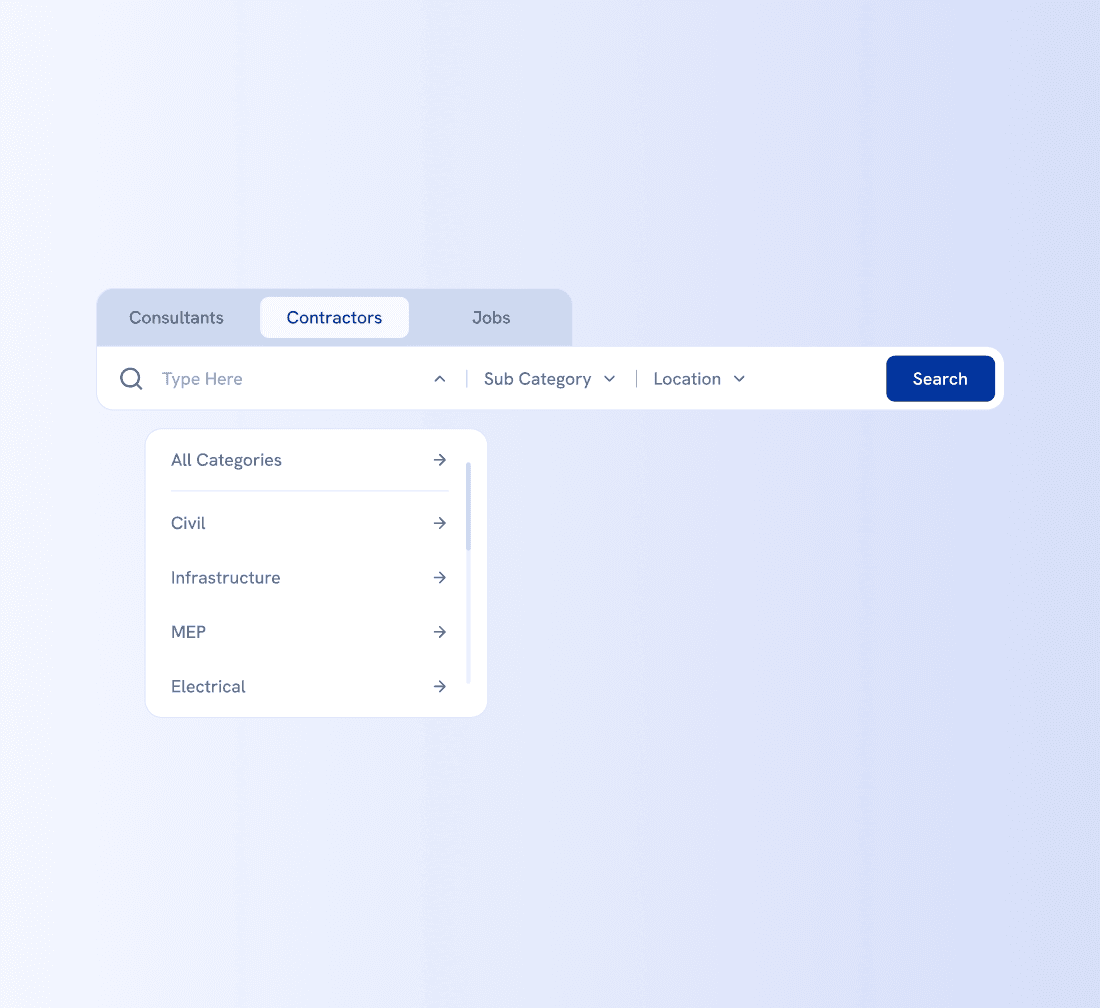
Search is where FindFirst starts behaving like a product, not just a platform. With multiple user types and goals, this interaction had to stay flexible without feeling overwhelming or fragmented.
What this CARD is about
Search helps users move from a vague need to a concrete direction—whether they’re hiring a contractor, looking for consulting expertise, or exploring job opportunities.
Key decisions
Design a single search surface that adapts across contractors, consultants, and jobs
Allow users to switch search context without losing progress
Keep interactions fast and forgiving to support exploration
Evaluating
Before Contact
In construction, reaching out is a commitment. Users don’t just browse—they assess. This part of the product needed to support decision-making, not just discovery.
What these screens are about
Search listings and company profiles work together to help users quickly judge relevance, credibility, and fit before initiating contact or sending a proposal.
Key decisions
Keep listings scannable, focused on comparison rather than completeness
Structure company profiles around trust signals, not marketing content
Avoid deep navigation before users feel confident enough to engage
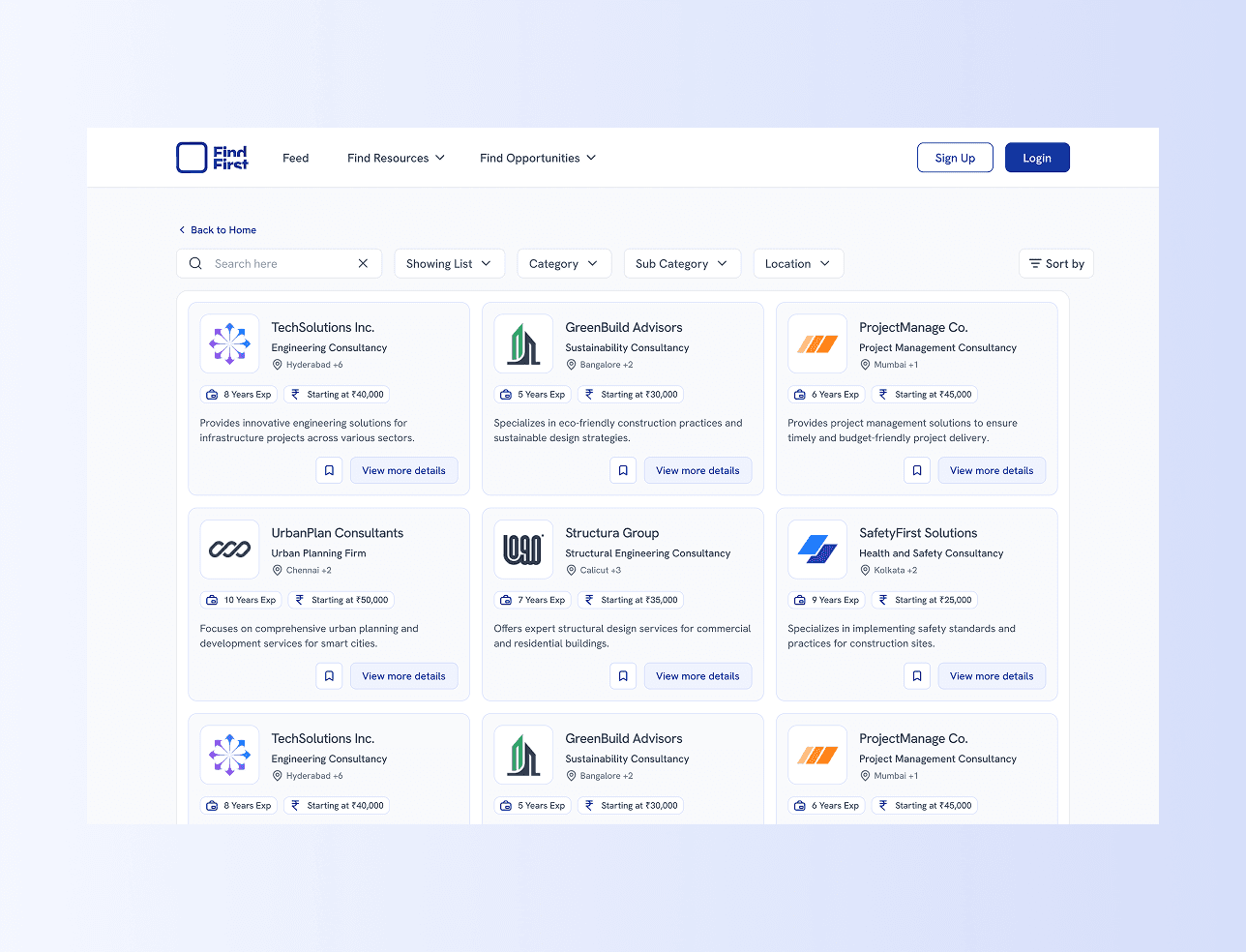
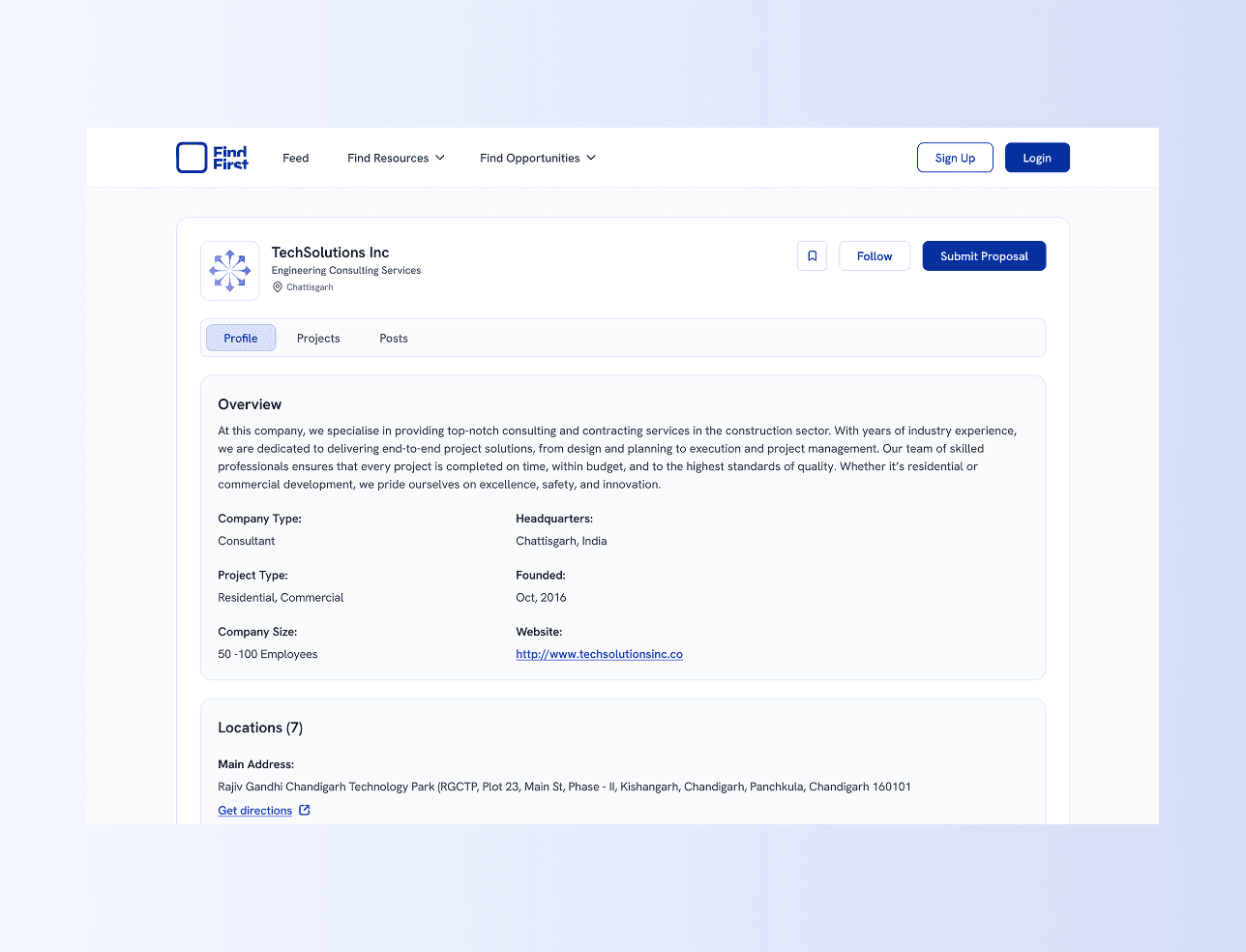
Search and company profile structured for evaluation before contact
Crossing the
Threshold
Browsing and evaluation remain open across FindFirst, but actions like sending proposals or applying for roles require intent and identity. Authentication is introduced only at this point—when users decide to act—so the experience doesn’t feel gated too early.
Login and sign-up flows are kept lightweight, allowing users to continue their momentum without feeling like they’ve entered a separate process.
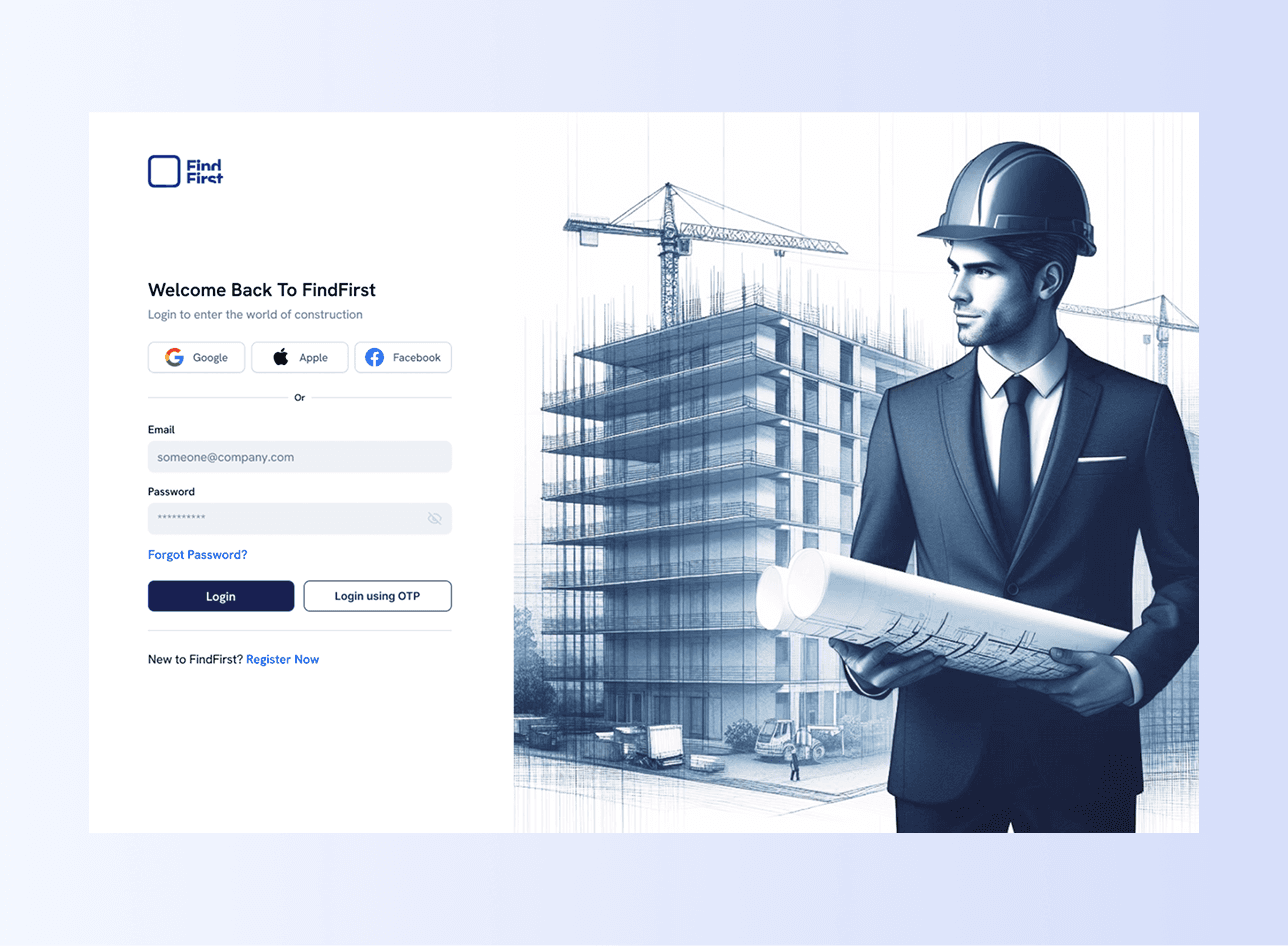
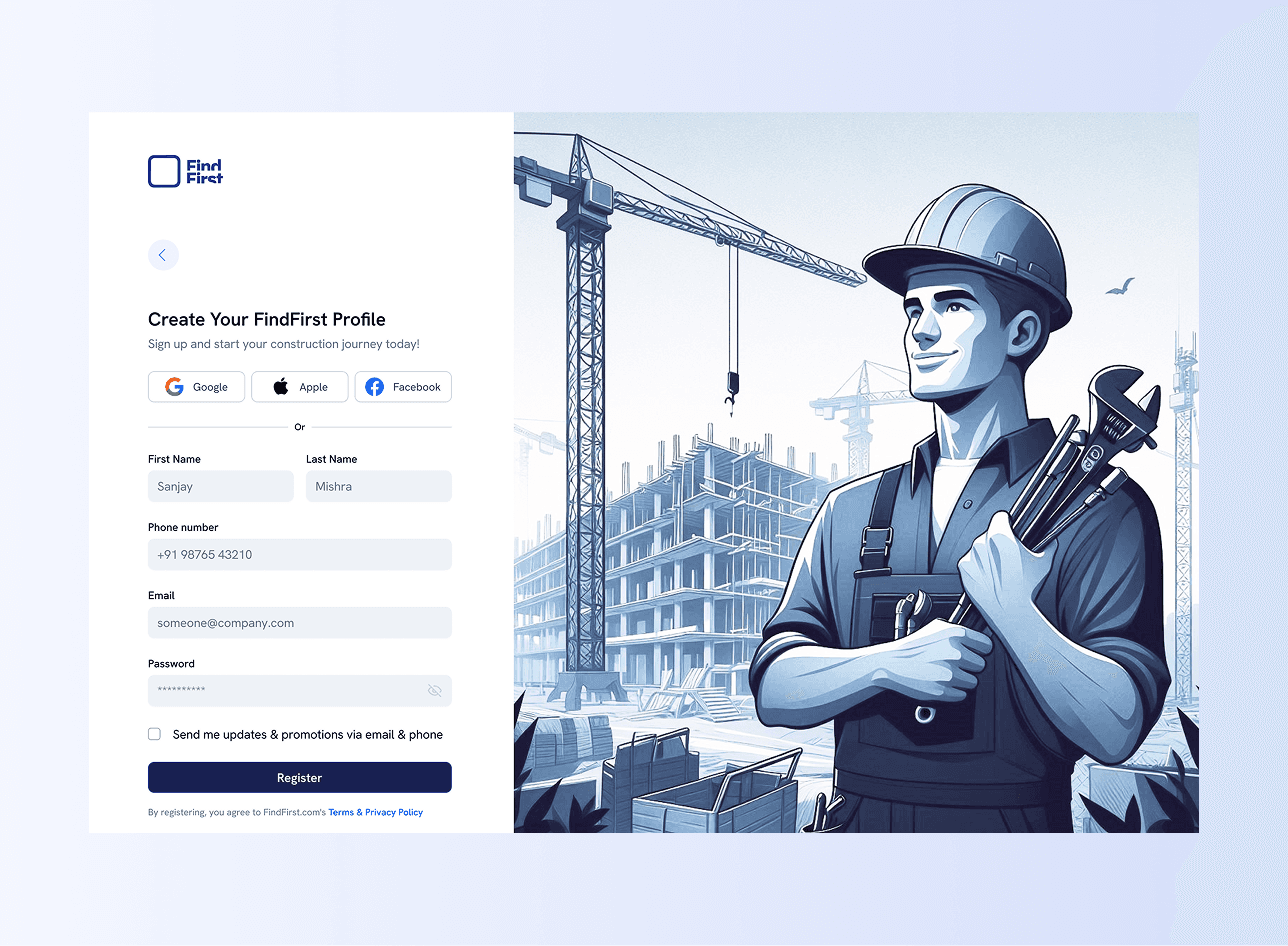
Authentication introduced only at the moment of commitment
As FindFirst grew, it moved beyond discovery and hiring into something more operational. For business owners and professionals, the platform needed to support ongoing work—reviewing proposals, managing listings, tracking activity, and making decisions over time.
This part of the product wasn’t about attraction or exploration. It was about control, clarity, and reducing friction in repeat tasks.
1. Setting Up a Company:
Establishing an operational presence
What THESE screenS ARE about
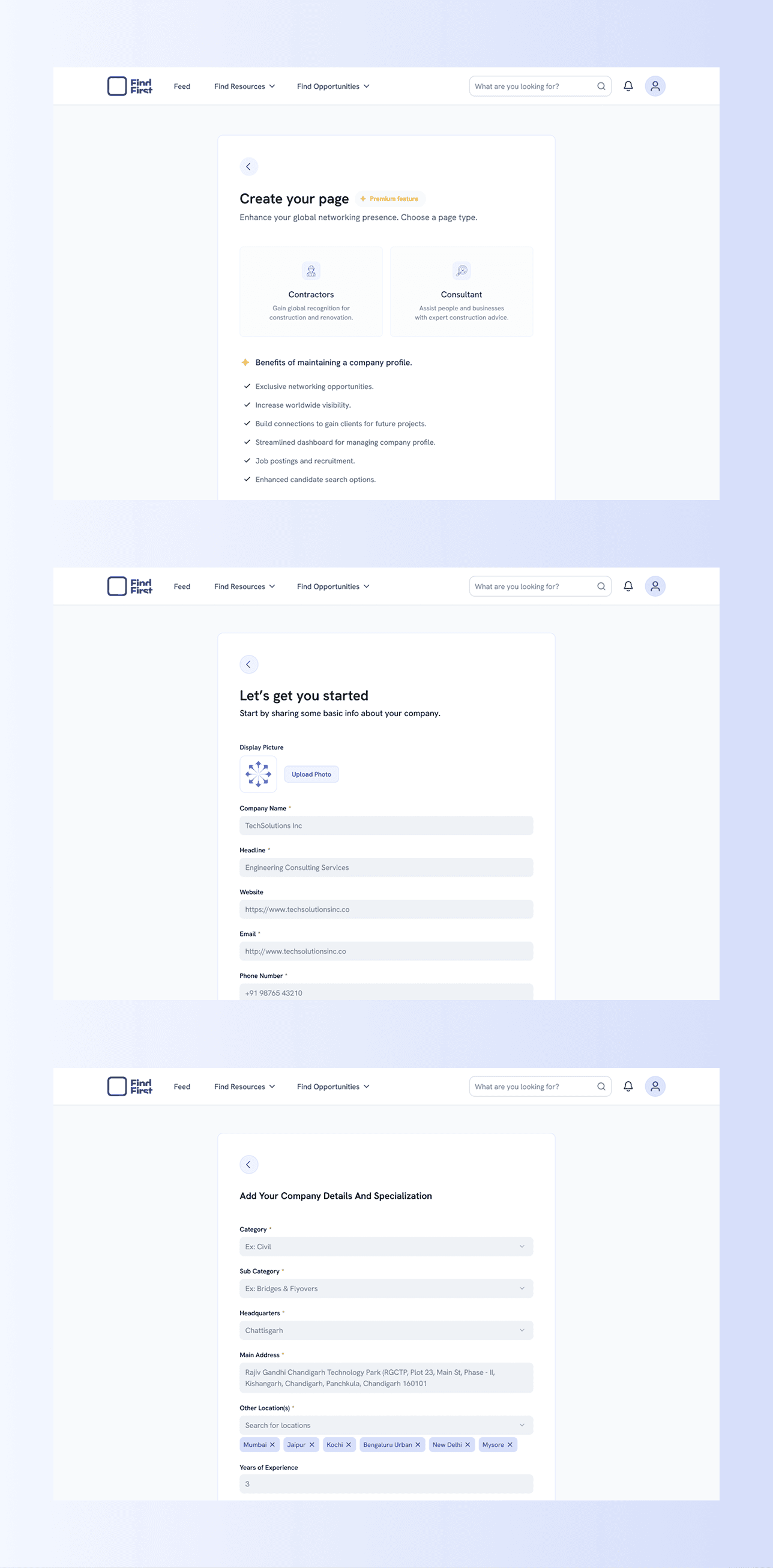
Creating a company profile is the point where a user moves from browsing to operating. This flow helps businesses establish a clear presence on the platform—defining who they are, what they offer, and how they should be discovered—without turning setup into a long or intimidating process.
The experience is broken into small, focused steps, allowing users to add essential information first and refine details later as the company page evolves.
Key decisions
Split company creation into guided steps to reduce cognitive load
Ask only for essential information upfront
Allow flexibility in defining services and specialization
Keep the flow consistent with other management experiences
2. Dashboard & Analytics:
Seeing What’s Active
What this SCREEN is about
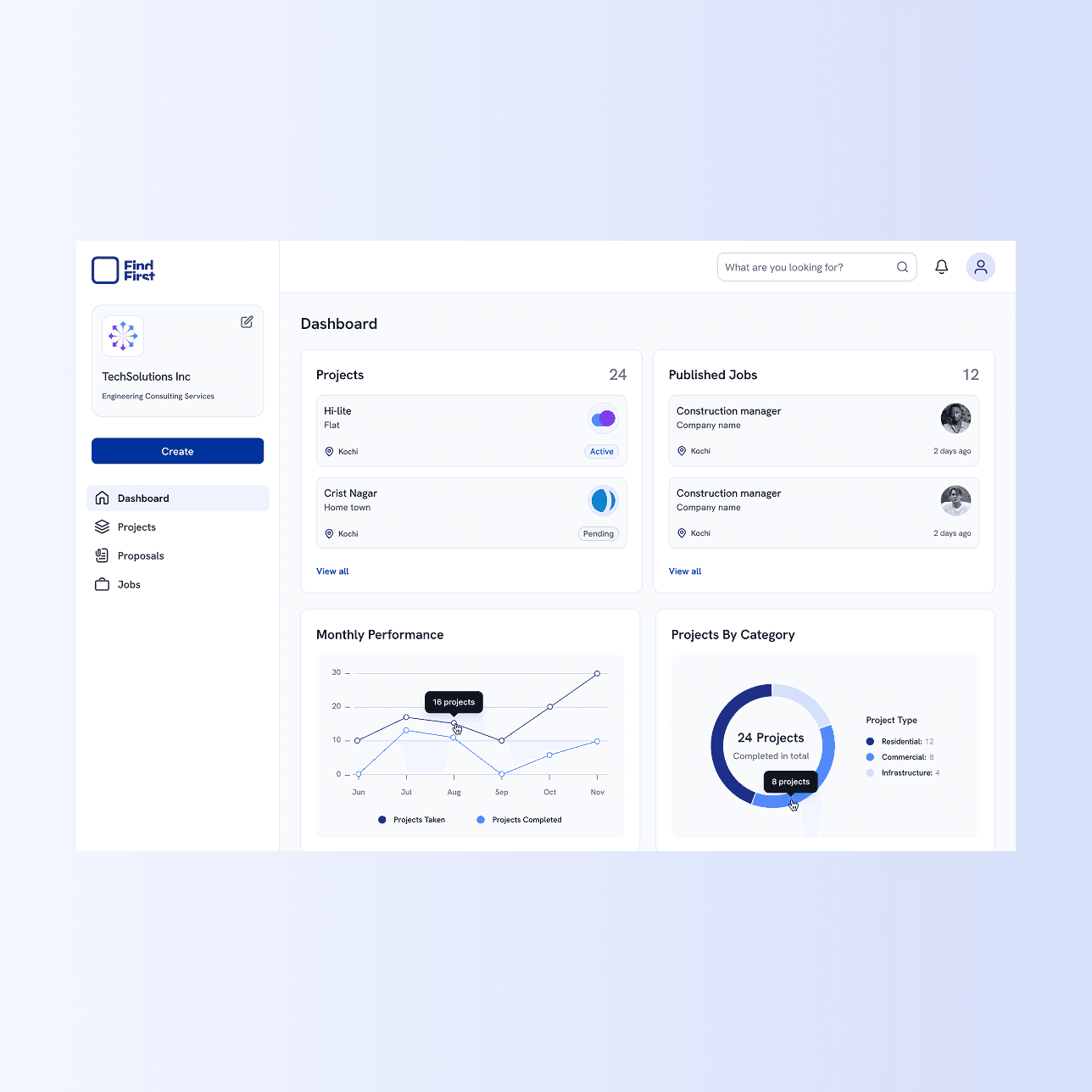
The dashboard provides a snapshot of active listings, responses, and engagement, helping users prioritize where to act next.
Key decisions
Surface only actionable metrics
Keep layout predictable for repeat use
Avoid over-visualizing data that doesn’t drive decisions
3. Projects:
Keeping ongoing work structured
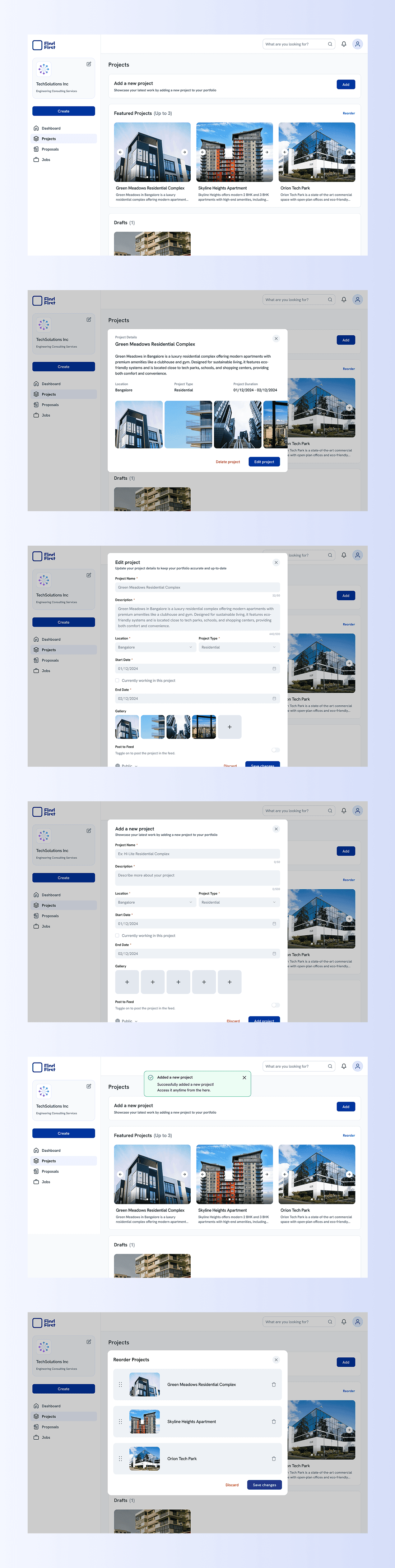
What THESE screenS ARE about
Projects act as a living record of a company’s work—past, active, and upcoming. This section needed to support more than just adding entries; it had to handle change over time. Projects might start incomplete, get revised, reordered, or even removed, and the system needed to support that without friction.
Instead of treating projects as static cards, I designed this as a lightweight management flow. Users can add projects through a guided popup, edit details safely, save work as drafts, and control how projects appear through reordering. The emphasis was on structure and flexibility—allowing progress without forcing completeness upfront.
Key decisions
Use a popup-based flow to add and edit projects without breaking context
Allow projects to exist as drafts before being published
Keep fields clearly structured to reduce errors and ambiguity
Support reordering so users can control priority and visibility
Include confirmation and error states to prevent accidental data loss
4. Proposals:
Where interest turns into commitment
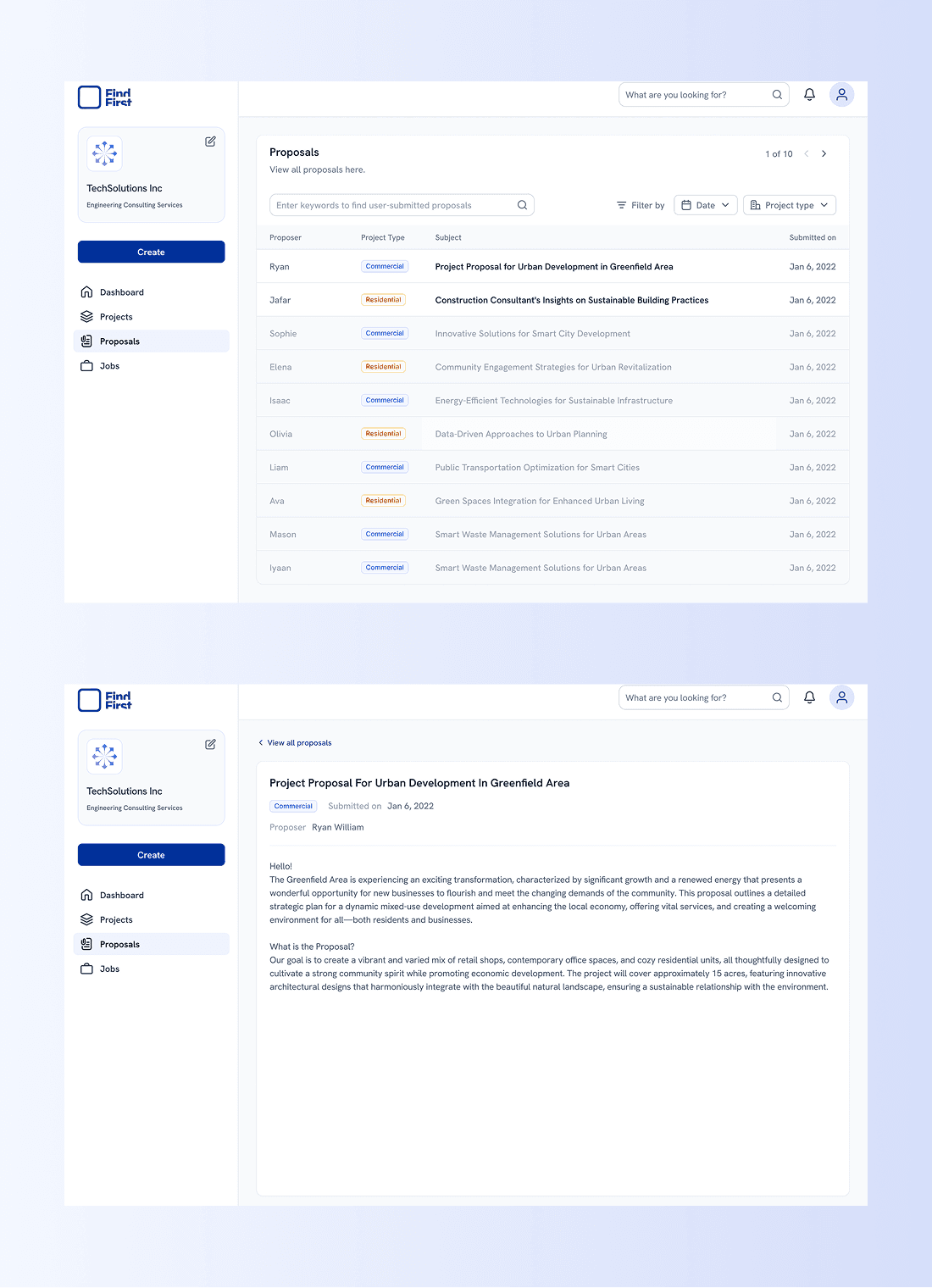
What this SCREEN is about
Proposals are the moment where discovery becomes a real business decision. For company owners, this space needed to support careful evaluation—often across multiple submissions, projects, and timelines—without forcing them into long back-and-forth or fragmented views.
I approached proposals as a review system rather than a messaging feature. The list view helps users scan and compare quickly, while the single proposal view focuses on clarity and intent—who submitted it, for what, and why—without unnecessary distractions. The goal was to help users decide what to do next, not just read content.
Key decisions
Separate proposal discovery (list view) from evaluation (single view)
Prioritize scannability in the list to support comparison across submissions
Keep the single proposal view distraction-free and content-focused
Avoid premature actions—users review first, then decide
Maintain consistency with other management sections to reduce learning effort
5. Jobs:
Managing opportunities without friction
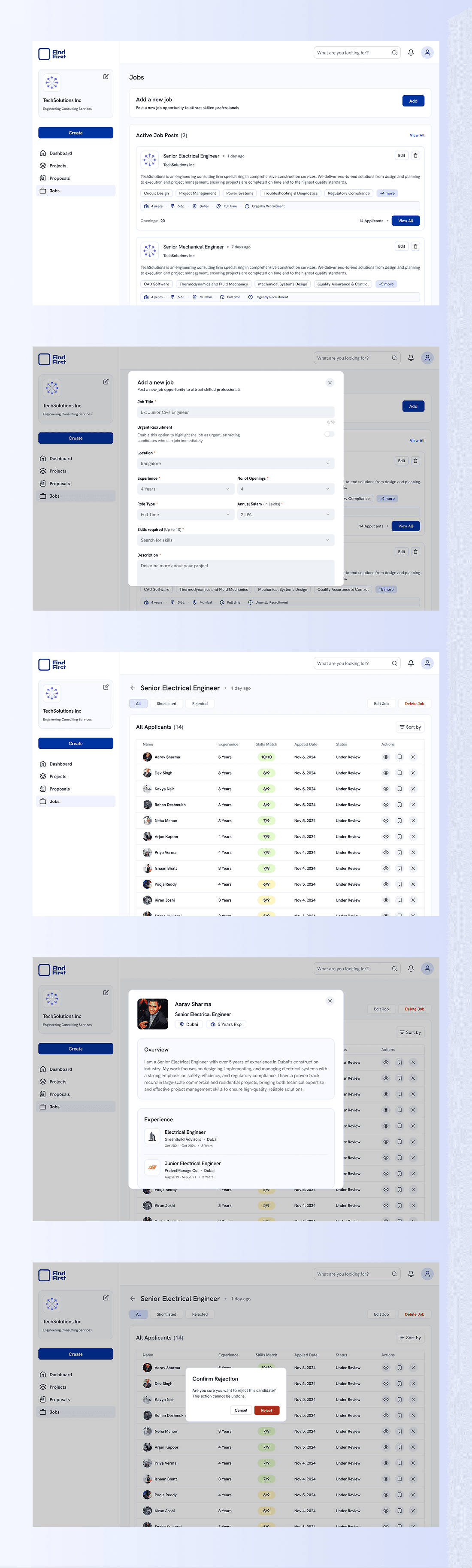
What this screen is about
Jobs allow companies to attract talent while keeping hiring organized inside the platform. This section needed to support repeated use—creating, publishing, and managing openings—without turning hiring into an administrative task.
Rather than overloading job posts with configuration, I focused on a clear, structured flow that makes it easy to add and maintain listings over time. The intent was to let companies focus on finding the right people, not managing the tool itself.
Key decisions
As the platform matured, additional surfaces were introduced to support longer-term engagement and usability. These areas weren’t the core of the product, but they played an important role in making FindFirst feel complete and usable beyond primary workflows.
This section captures those supporting pieces—some fully explored, others still evolving.
Social Feed
(Early Exploration)
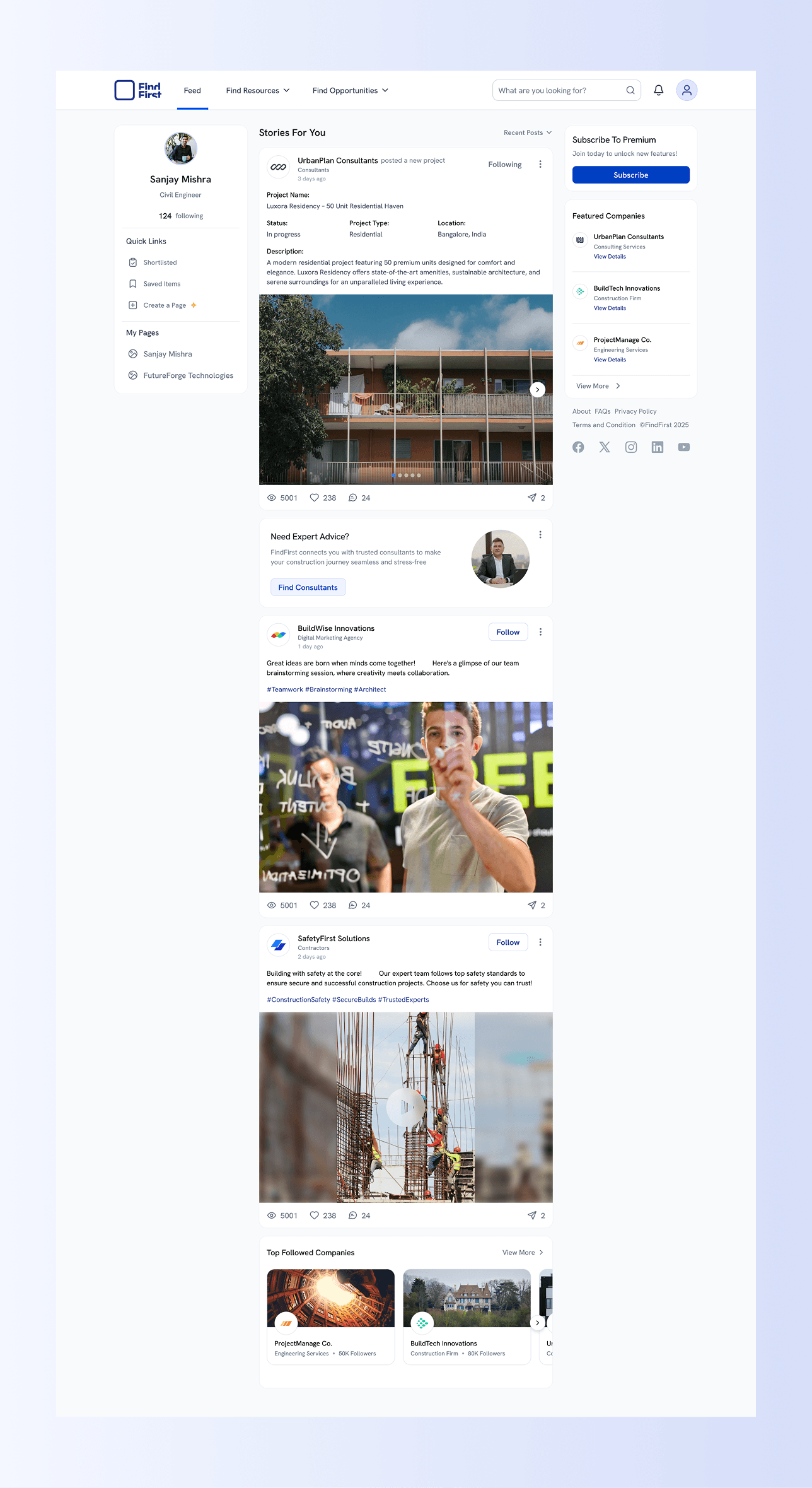
The social feed was introduced to explore how professionals might share updates, insights, and activity within the construction ecosystem. At the time, this feature was still a work in progress, and my focus was on establishing a visual and structural direction rather than final behavior.
The initial drafts explored how posts, interactions, and saved content could fit into the broader system without distracting from core business tasks.
Public Profiles & Settings
Controlling how users are represented
Public profiles and settings allow users to manage how they appear across the platform—what information is visible, how they’re discovered, and how others interact with them. These screens were designed to stay consistent with the rest of the system, prioritizing clarity and predictability over customization.
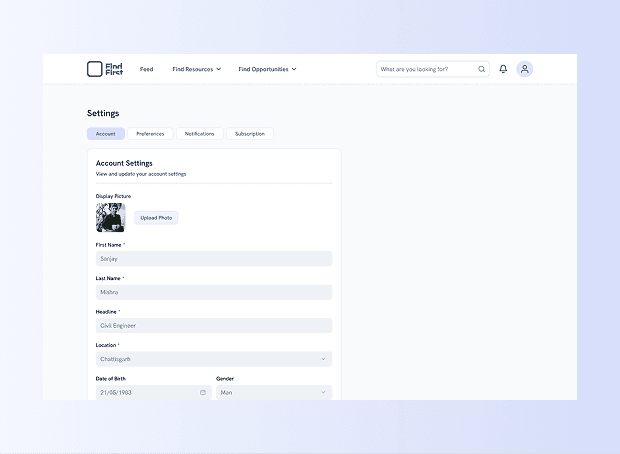
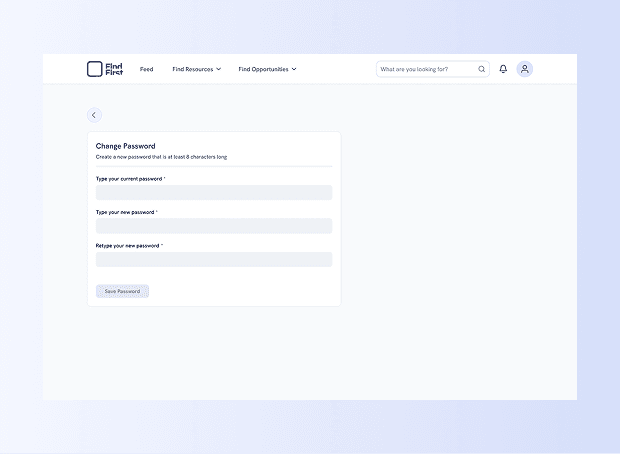
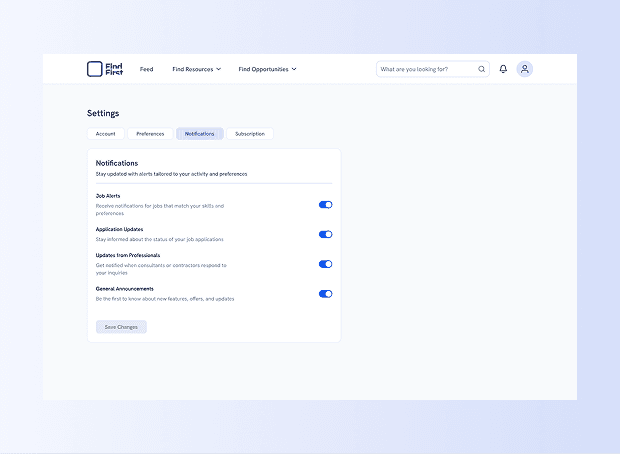
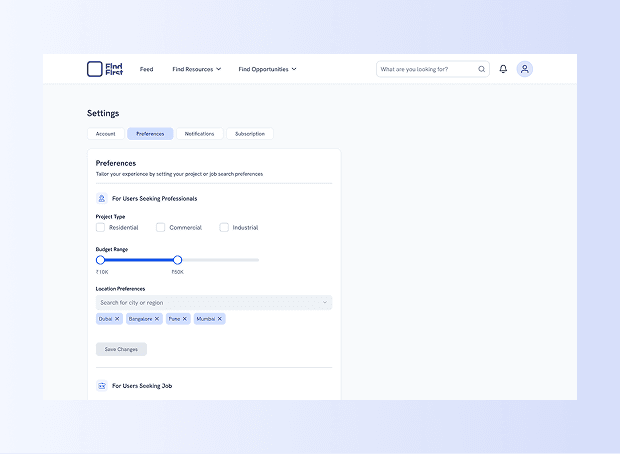
Search and company profile structured for evaluation before contact
Supporting Pages
Completing the platform
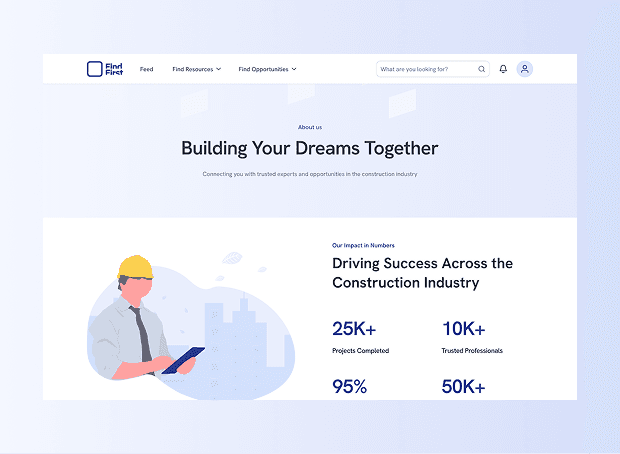
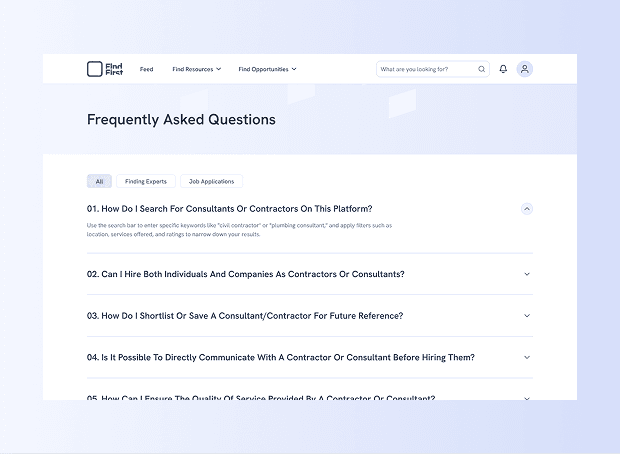
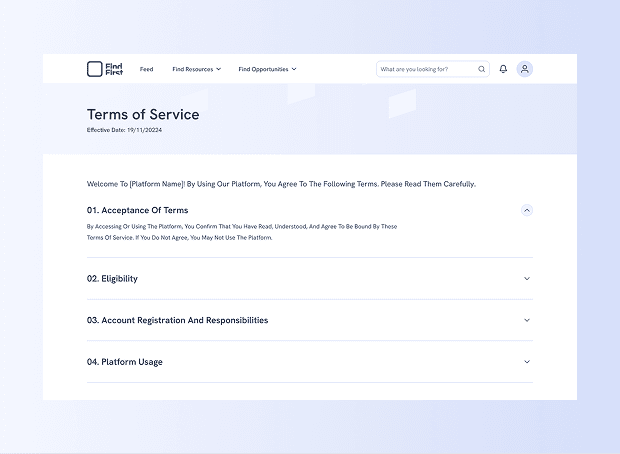
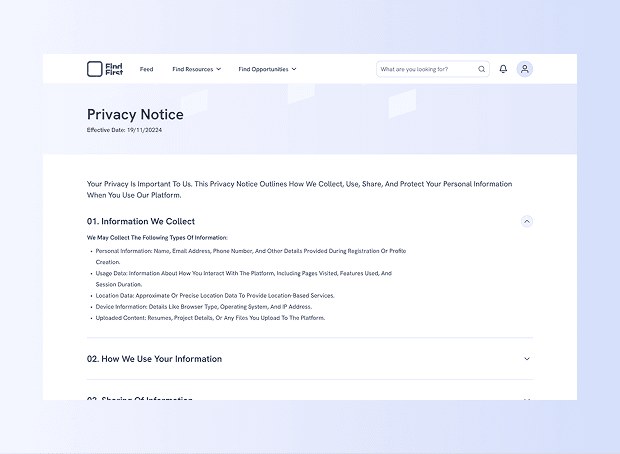
Alongside core workflows, supporting pages such as About, FAQs, and Policies were designed to ensure the platform felt trustworthy and complete—especially for first-time users and business owners evaluating the product. These pages followed the same visual language and hierarchy, reinforcing consistency across the platform.
Search and company profile structured for evaluation before contact
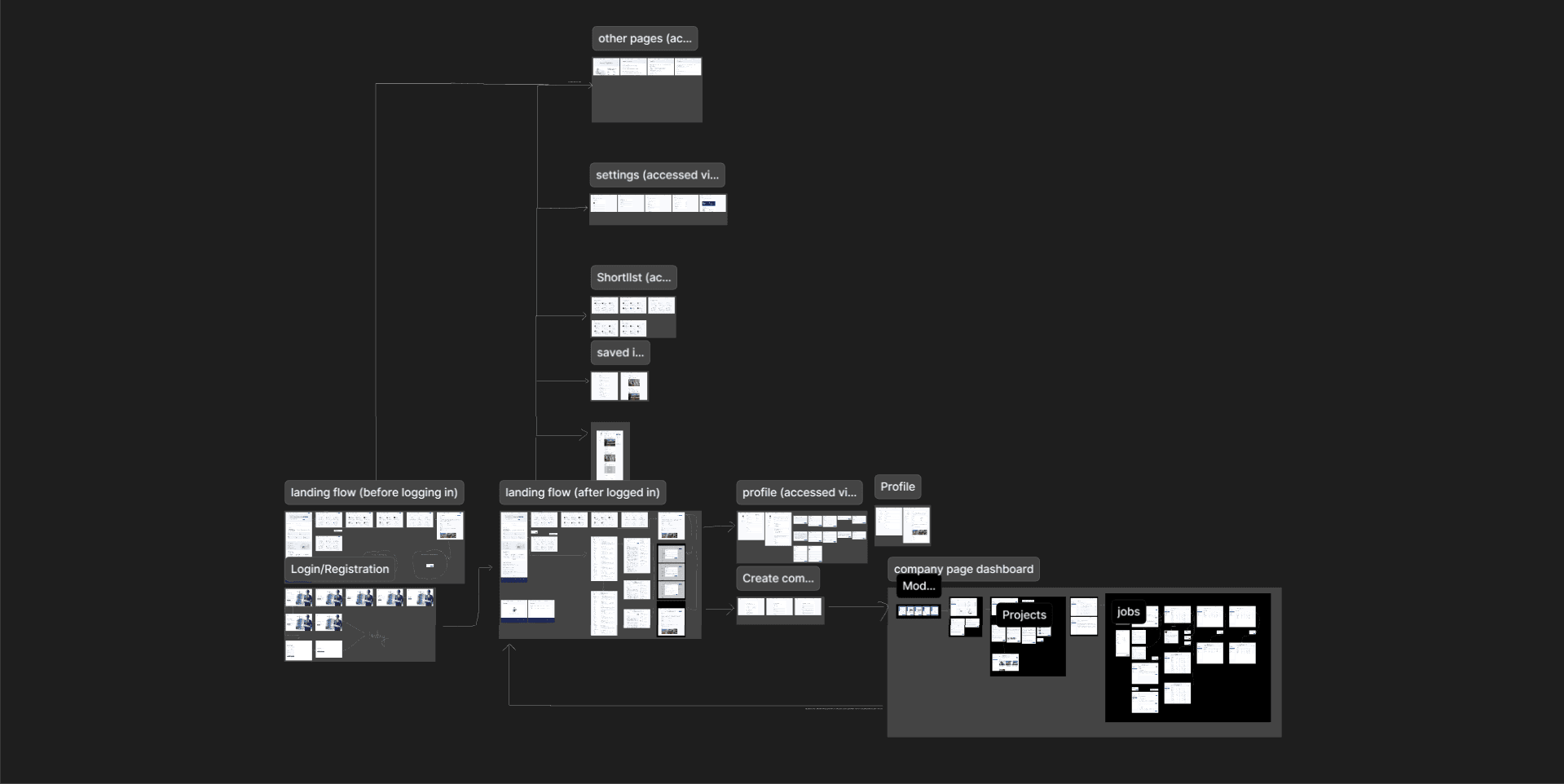
Design decisions in motion—layouts, iterations, and structure as they evolved.
Expected
Impact
Rather than optimizing for short-term engagement, the goal with FindFirst was to create a system that could support real work over time. The expected impact focused on clarity, confidence, and reduced friction across critical moments—especially where decisions carry real business weight.
1. More confident decisions
By structuring discovery, profiles, and proposals around evaluation—not volume—users can focus on what’s relevant instead of getting overwhelmed by options.
2. Smoother transition from interest to action
Users can browse openly, evaluate options, and only commit when ready. Introducing authentication and setup at the right moment helps preserve momentum while still ensuring intent and accountability.
3. Less friction in day-to-day use
Consistent patterns across dashboards, projects, jobs, and proposals make the platform predictable. Over time, users spend less energy figuring out the interface and more on actual work.
4. Support for work that evolves
Drafts, edits, and reordering acknowledge that construction work isn’t static. The system allows things to take shape gradually instead of demanding everything upfront.
5. A stable foundation to grow on
By prioritizing structure and clarity early, the platform is better positioned to scale without becoming fragmented or confusing.

Closing
Thoughts
FindFirst became a defining project in my early career because it demanded adaptability. I joined midway, inherited decisions, worked through changing requirements, and gradually took ownership as the product evolved.
Rather than focusing on perfect processes, the work required steady judgment—balancing speed with structure, and execution with long-term thinking. It shaped how I approach real-world product design today: grounded in constraints, collaborative by nature, and focused on building systems that hold up over time.
Related
Work

VIEW ALL